
SAP FICO vs SAP MM: Difference, Uses, and Career Paths
SAP FICO vs SAP MM: Difference, Uses, and Career Paths Home Blogs Contact Us SAP
Call Now : 9390612347
Call Now : 8096061003
Call Now : 9000709021
Lorem ipsum dolor sit amet, consectetur adipiscing elit. Ut elit tellus, luctus nec ullamcorper mattis, pulvinar dapibus leo.
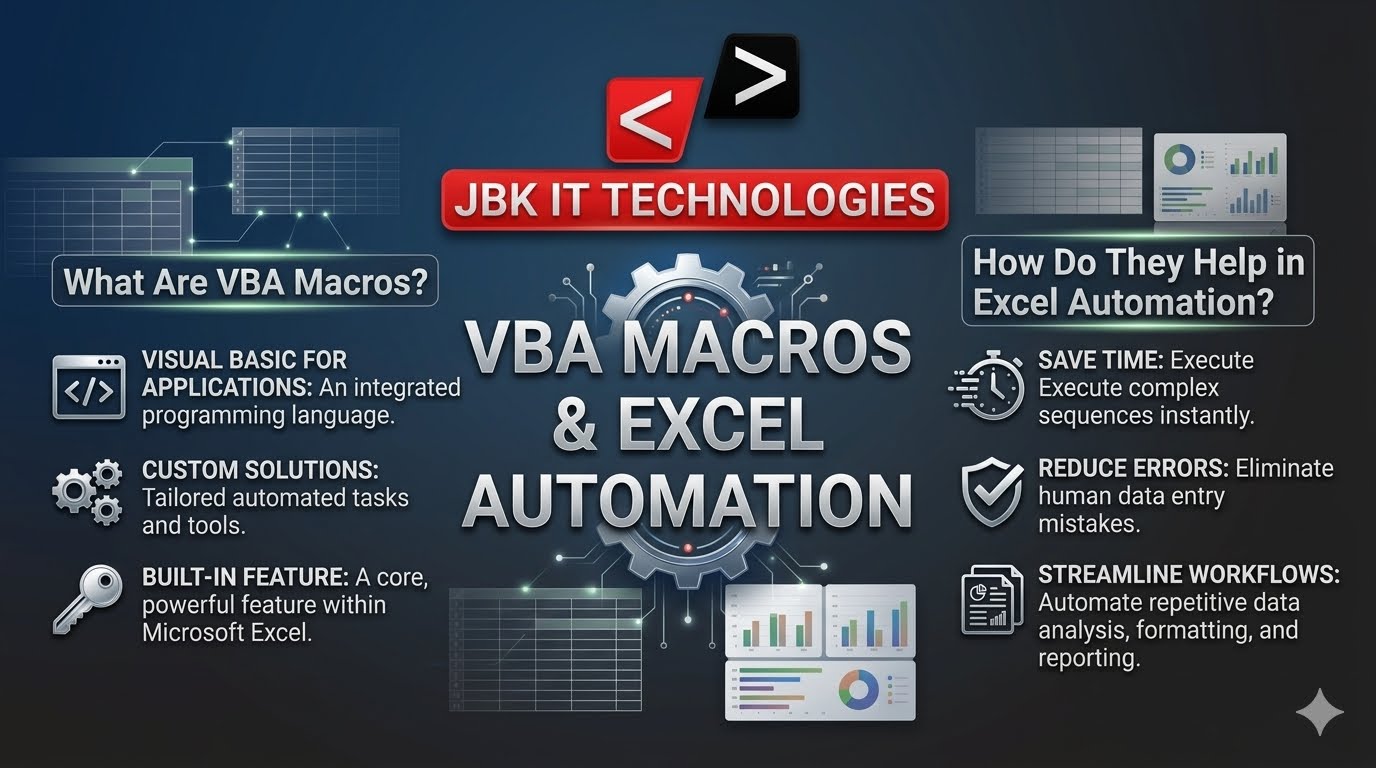
VBA, which stands for Visual Basic for Applications, is Microsoft’s built in programming language that allows users to automate tasks within Excel and other Office applications. VBA Macros are sets of instructions that perform specific actions automatically, eliminating the need to repeat the same steps manually. Businesses and professionals use VBA Macros to simplify complex processes, improve efficiency, and save valuable time. Instead of spending hours formatting spreadsheets, updating reports, or organizing data, users can create a macro that completes these tasks with a single click. As organizations increasingly rely on data driven decision making, VBA Macros have become an essential tool for improving workplace productivity and reducing manual effort.
Excel automation refers to the process of using technology to perform repetitive tasks automatically within Microsoft Excel. In many workplaces, employees spend a significant portion of their day entering data, generating reports, applying formulas, and updating spreadsheets. These repetitive activities can be time consuming and prone to human error. Excel automation solves this challenge by allowing tasks to be completed quickly and consistently. VBA Macros play a major role in Excel automation by enabling users to create customized workflows that execute automatically. Whether it is generating monthly reports, cleaning large datasets, or updating dashboards, automation helps organizations improve efficiency and maintain accuracy across business operations.
VBA Macros work by recording or programming a sequence of actions that Excel can perform automatically. Users can begin by using Excel’s Macro Recorder, which captures every step performed within a worksheet and converts those actions into VBA code. This recorded code can then be modified and enhanced using the Visual Basic Editor to create more advanced automation solutions. Once a macro is created, it can be executed through a button, keyboard shortcut, or automated trigger. For example, a finance professional who spends time preparing weekly financial reports can create a VBA Macro that imports data, applies formatting, performs calculations, and generates charts automatically. This significantly reduces the time required to complete routine tasks and ensures consistency in reporting.
One of the primary advantages of VBA Macros is the significant amount of time they save. Tasks that normally require hours of manual work can often be completed in just a few seconds through automation. VBA Macros also improve accuracy by reducing the risk of human error that often occurs during repetitive data entry and spreadsheet management. In addition, automation increases overall productivity by allowing employees to focus on strategic and analytical tasks rather than routine administrative work. Another important benefit is consistency. Organizations can standardize reporting formats and business processes, ensuring that reports are generated in the same way every time. This consistency improves data quality and helps businesses make better decisions based on reliable information.
VBA Macros are widely used across various industries because of their ability to automate repetitive processes. In finance and accounting departments, VBA is commonly used to generate financial reports, automate budget tracking, and streamline reconciliation processes. Human resource teams use VBA to manage employee records, automate attendance tracking, and simplify payroll calculations. Sales and marketing departments rely on VBA to create sales reports, monitor performance metrics, and organize customer databases. Operations teams use automation to manage inventory records, analyze performance data, and generate operational reports. Educational institutions also benefit from VBA by automating attendance records, examination results, and student performance reports. These practical applications demonstrate how VBA Macros can improve efficiency in almost every business environment.
A professional VBA Macros course provides learners with the knowledge and practical skills required to automate Excel processes effectively. Students begin by learning Excel fundamentals, including formulas, functions, and data management techniques. As they progress, they gain an understanding of VBA programming concepts such as variables, loops, conditions, and functions. The course also teaches participants how to record macros, edit VBA code, automate reports, and create interactive user forms. Advanced topics often include dashboard automation, error handling, and business process optimization. Through real-world projects and practical exercises, learners develop the confidence to build automation solutions that can be applied directly in workplace environments.
Learning VBA opens the door to a wide range of career opportunities across multiple industries. Organizations actively seek professionals who can automate processes, improve efficiency, and manage large volumes of data. VBA skills are particularly valuable for roles such as Data Analyst, MIS Executive, Financial Analyst, Business Analyst, and Operations Executive. Professionals with Excel automation expertise often stand out during recruitment because they can contribute to process improvement initiatives and help organizations save time and resources. Additionally, freelancers and consultants who specialize in Excel automation can offer their services to businesses looking to streamline their operations. As companies continue to focus on productivity and efficiency, VBA remains a highly sought-after skill in the job market.
The demand for automation skills continues to grow as businesses generate larger volumes of data and seek more efficient ways to manage information. Despite the availability of advanced analytics platforms, Excel remains one of the most widely used business tools worldwide. Organizations across finance, healthcare, manufacturing, retail, education, and information technology continue to depend on Excel for reporting and analysis. As a result, professionals who understand Excel automation and VBA are increasingly valued. Automation not only improves productivity but also enables businesses to make faster and more informed decisions. This trend highlights the continued relevance of VBA as an essential workplace skill.
Many professionals question whether VBA remains useful in an era of advanced software and artificial intelligence. The reality is that VBA continues to be highly relevant because millions of businesses still rely on Excel for their daily operations. VBA offers a cost-effective way to automate processes without requiring expensive software investments. It also integrates seamlessly with other Microsoft Office applications such as Word, Outlook, and Access, allowing organizations to create comprehensive automation solutions. Professionals who understand VBA are often able to solve business challenges more efficiently, making them valuable assets to employers. As companies continue their digital transformation journeys, VBA remains an important tool for improving productivity and operational efficiency.
One honest disadvantage of an MS Office course is that, in highly competitive urban job markets, basic Microsoft Office skills are sometimes assumed rather than celebrated. In some senior level roles, listing “MS Office” on your resume without accompanying advanced skills may not differentiate you significantly from other candidates. The solution? Do not stop at the basics. A well-structured MS Office course should push you into intermediate and advanced territory pivot tables, mail merge, PowerPoint animation, macros so that your Microsoft Office skills genuinely stand out. This is why the MS Office training at JBK IT Technologies is designed to go beyond entry level, giving students skills that genuinely impress employers during technical assessments.
Like any practical skill, Microsoft Office proficiency fades without regular use. A student who completes an MS Office course but does not practice consistently may forget formulas, shortcuts, or formatting techniques within a few months. This is not unique to MS Office it applies to any technical training but it is worth acknowledging. At JBK IT Technologies, we address this by embedding real time project work throughout the MS Office course. Students do not just watch demonstrations they build actual documents, spreadsheets, and presentations during every session. This hands on approach creates stronger, longer lasting memory of the skills taught.
Microsoft Office has moved to a subscription based model called Microsoft 365. While the software is available at relatively affordable prices for students and individuals, there is an ongoing cost to access the latest features. Some students who complete an MS Office course find that setting up a home practice environment involves a monthly fee, which may be a consideration for those on tight budgets. During MS Office training at JBK IT Technologies, students practice on institute computers with full software access, ensuring no personal cost barrier during the learning phase.
For certain career paths particularly in accounting, data analytics, or IT an MS Office course alone may not be enough to compete strongly for higher paying roles. Employers in these sectors often look for candidates who can combine MS Office skills with domain specific tools like Tally, Power BI, Advanced Excel, or SAP FICO. This is one of the strongest reasons we encourage students to think of the MS Office course as a starting point, not a finishing line. JBK IT Technologies offers a complete course ladder students who begin with MS Office training can seamlessly continue into Advanced Excel, Power BI, Tally with GST, and eventually full accounting diploma programs creating a resume that is genuinely employer-ready.
Given these advantages and disadvantages, who should seriously consider enrolling in an MS Office course? The answer is broader than most people expect.
When you search for an MS Office course in Hyderabad, you will find many options. What makes JBK IT Technologies the right choice for serious learners?
Industry experienced trainers. Our trainers are not just teachers they are professionals who have used Microsoft Office tools in real corporate environments. Every class draws from genuine workplace scenarios, not textbook examples.
Hands on, project based learning. Rather than passively watching demonstrations, students at JBK IT Technologies actively build documents, spreadsheets, and presentations during each session, creating a portfolio of work they can reference and show employers.
100% placement assistance. Our dedicated placement team works with a network of hiring partners across Hyderabad who actively seek candidates with solid Microsoft Office skills. We support students through resume preparation, mock interviews, and direct referrals.
Flexible batch timings. Whether you are a student, a working professional attending on weekends, or someone who prefers evening batches, JBK IT Technologies offers scheduling that fits your life, not the other way around.
ISO certified quality. JBK IT Technologies is an ISO certified training institute, which means the quality of our MS Office course meets formally audited standards. This certification matters when students list their training on job applications it signals to employers that the institution is credible.
Multiple branches across Hyderabad. With centers in Dilsukhnagar, Ameerpet, and Mehdipatnam, accessing quality MS Office training in Hyderabad has never been easier, regardless of where in the city you live.
Even the best MS Office course will only deliver results if the student commits to the learning process. Here are a few practical tips to make the most of your training:
Let us go back to that interview room. The recruiter slides the laptop toward you, and this time you know exactly what to do. You open Word, format the report with headers and styles, switch to Excel, and build a clean summary chart in under three minutes. The recruiter smiles this time for a different reason. An MS Office course is worth it without question when it is the right course, taught the right way, in the right environment. The advantages of universal industry demand, fast learning, low cost, and immediate applicability far outweigh the limitations when you train at a credible institution that provides real-world practice and genuine placement support. If you are looking for the best MS Office training institute in Hyderabad that combines practical Microsoft Office skills training with 100% placement assistance, ISO certification, and experienced industry trainers JBK IT Technologies in Dilsukhnagar is the place to begin your journey.
SAP FICO vs SAP MM: Difference, Uses, and Career Paths Home Blogs Contact Us SAP
SQL and Power BI: How They Work Together in Data Analytics Home Blogs Contact Us
SEO, Google Ads, and Social Media: Which Digital Marketing Skill Should You Learn First? Home
Power BI vs Advanced Excel: What Should Beginners Learn First? Home Blogs Contact Us Data
Tally vs Zoho Books: Which Accounting Tool Should Students Learn? Home Blogs Contact Us Choosing
C and C++ for Beginners: Why Programming Fundamentals Matter Home Blogs Contact Us Learning programming