Ameerpet Hyderabad

Call Now : 9390612347

Dilsukhnagar Hyderabad

Call Now : 8096061003

Mehdipatnam Hyderabad

Call Now : 9000709021

Diploma in Accounting Program

2 Months

The Diploma in Accounting (2 Months) is a short-term, job-oriented training program designed to provide practical knowledge of basic accounting operations used in small businesses, trading firms, and service organizations.

4.9⭐

Student Rating

5000+

Students

100%

Placement Assistance

ISO

Certified

Book Your FREE Demo Class

Course Overview – Diploma in Accounting Program – 2 Months

The Diploma in Accounting (2 Months) is a short-term, job-oriented training program designed to provide practical knowledge of basic accounting operations used in small businesses, trading firms, and service organizations. This course focuses on hands-on training in real-time transaction handling, billing, banking operations, and basic financial reporting. Students receive practical training on Tally Prime for day-to-day accounting activities such as voucher entry, GST billing, sales and purchase management, banking transactions, and ledger maintenance. In addition, cloud-based accounting skills are developed using QuickBooks for online invoicing, expense tracking, customer and vendor management, and bank reconciliation. The program emphasizes real-world accounting workflows followed in offices and business environments. Learners gain confidence in posting transactions, maintaining books of accounts, preparing basic Profit & Loss statements, Balance Sheets, and managing routine accounting tasks independently. This course is ideal for students, job seekers, small business owners, and working professionals who want quick entry into accounting roles or wish to manage basic business accounts with accuracy and confidence.
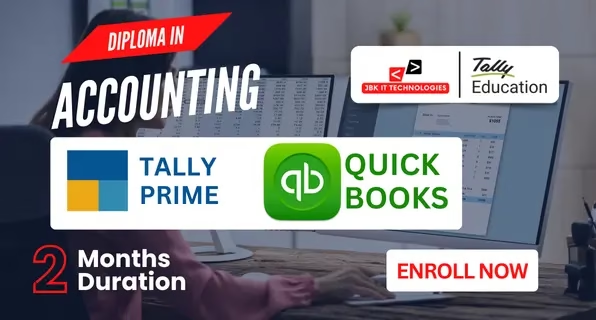
Diploma in Accounting Program – 2 Months

Course Curriculum – Package 2 Months

Introduction to Tally Prime
  • Overview of Tally Prime
  • Navigating the Tally Prime Interface
  • Understanding Key Functionalities and Features
  • Advanced Accounting Setup: Configuring Ledgers, Groups, and Cost Centers
  • Advanced Inventory setup: Stock Groups, Categories, and Items: Advanced Setup and Configurations
  • Managing Foreign Exchange Transactions: Currency Management and Forex Rates
  • Vouchers in Detail: Recording complex transactions using Payment, Receipt, Journal, Contra, and more
  • Bill of Materials (BoM): Creation and Management of Complex Bills of Materials
  • Multiple Stock Locations: Managing Multiple Godowns/Stores in Tally Prime
  • Stock Transfers and Adjustments: Handling Stock In Transit, Stock Adjustments, and Stock Valuation Reports
  • Inventory Valuation: FIFO, LIFO, and Average Cost Method
  • Financial Statements: Profit & Loss, Balance Sheet, and Cash Flow
  • Ratio Analysis: Calculating and Interpreting Financial Ratios
  • Budgets and Controls: Creating and Monitoring Budgets
  • Audit and Reconciliation:
  • Bank Reconciliation
  • Cash Flow and Bank Audit
  • Reconciliation of GST Returns
  • Employee Setup and Payroll Configurations
  • Salary Structures: Designing Complex Salary Structures and Pay Components
  • Statutory Compliances: PF, ESI, and Professional Tax Management
  • Generate Payroll Reports: Salary Slips, Pay Register, and Form 16
  • Leave Management: Tracking and Managing Employee Leave
  • Taxation Handling:
  • GST Computation and Returns
  • Tally GST Reports (GSTR-1, GSTR-3B, GSTR-9)
  • TDS and TCS Management
  • GST and TDS Reconciliation
  • Advanced GST Configuration: Tax Categories, HSN/SAC Codes, and Reverse Charge Mechanism
  • GST Auditing and Filing: Generating GST Audit Reports
  • GST on E-Commerce Transactions: Handling GST for E-Commerce Sellers and Buyers
  • TDS & TCS Advanced Configurations: Handling Different TDS/TCS Rates, Reporting, and Filing
  • Customizing Tax Reports and Returns
  • Customizing Reports: Creating and Modifying Reports (Financial, Inventory, etc.)
  • Tally Prime Dashboard: Setting up and Analyzing Custom Dashboards
  • Data Exporting and Importing: Exporting Reports to Excel, PDF, and XML formats
  • Multi-Company Reporting: Consolidating Financial Data Across Multiple Companies
  • Advanced Financial Reports: Cash Flow, Receivables/Payables, and Trial Balance
  • Data Backup and Restoration: Techniques for Backup, Restoring, and Data Integrity
  • Managing Multiple Users and Roles: Configuring User Permissions and Rights
  • Import and Export Data: Bulk Importing/Exporting Data using Tally
  •  
  • Creating Custom Invoices and Vouchers: Designing Templates for Vouchers and Invoices
  • Cost Centers and Cost Categories: Advanced Management for Cost Control
  • Consolidation of Multiple Companies: Inter-Company Transactions and Consolidated Reports
  • Handling Complex Transactions: Advanced Transactions and Entry Configuration
Introduction to Taxation
  • Overview of QuickBooks and its features
  • Installation and Setup of QuickBooks software
  • Understanding the QuickBooks interface and navigation
  • Setting up a company profile in QuickBooks
  • Understanding the chart of accounts
  • Recording and managing transactions
  • Setting up and managing customer, supplier, and employee details
  • Creating and managing invoices, estimates, and sales receipts
  • Recording and categorizing business expenses
  • Connecting QuickBooks to bank accounts
  • Understanding and performing bank reconciliation
  • Matching transactions between QuickBooks and bank statements
  • Handling credit card accounts and transactions
  • Setting up payroll in QuickBooks
  • Managing employee details, pay rates, and deductions
  • Processing payroll and generating paychecks
  • Filing taxes and year-end tax forms (W-2, W-3)
  • Payroll reporting
  • Understanding GST and tax rates
  • Creating and applying tax rates to transactions
  • Generating tax reports
  • Filing GST returns and staying compliant with regulations
  • Getting up and managing inventory items
  • Tracking inventory levels, sales, and purchases
  • Adjusting inventory and managing stock reports
  • Handling sales tax and product-based transactions
  • Creating and customizing financial reports (Profit & Loss, Balance Sheet, Cash Flow)
  • Analyzing business performance with financial statements
  • Generating and reviewing accounts payable and receivable reports
  • Creating budgets and forecasting
  • Setting up recurring transactions
  • Automating tasks and workflows
  • Customizing invoices and templates
  • Managing multiple users and roles in QuickBooks
  • Generating advanced reports and insights

Why Choose JBK IT Technologies?

Experience industry-focused training designed to prepare you for certifications, interviews, and successful careers through practical learning and expert mentorship.

ISO Certified Institute

Gain trusted certifications that add credibility to your professional profile.

Industry Expert Trainers

Learn directly from professionals with real-world project experience.

Live Projects

Build practical experience through assignments based on actual business scenarios.

Placement Assistance

Get support with resumes, interview preparation, and career opportunities.

Mock Interviews

Practice with industry-style interviews to improve confidence and communication.

Companies Where Our Students Are Working

Placed Students From JBK IT Technologies

Testimonial

What They Say About Us

Frequently Asked Questions

1. Do I need a commerce background?

No, beginners from any background can join.

Yes, it is designed for direct job placement.

Yes, full placement assistance is provided.

Yes, you will receive course completion certificates.

Enquiry Form