Ameerpet Hyderabad

Call Now : 9390612347

Dilsukhnagar Hyderabad

Call Now : 8096061003

Mehdipatnam Hyderabad

Call Now : 9000709021

🎄 CHRISTMAS & NEW YEAR SPECIAL!UP TO 20% OFF ACCOUNTING COURSES✦ UP TO 20% OFF PROGRAMMING COURSES✦ UP TO 20% OFF DIGITAL MARKETING✦ UP TO 20% OFF FINANCE COURSES✦ UP TO 20% OFF GRAPHIC DESIGNING✦ UP TO 20% OFF SAP COURSES✦ UP TO 20% OFF VIDEO EDITINGENROLL TODAY! 🎁

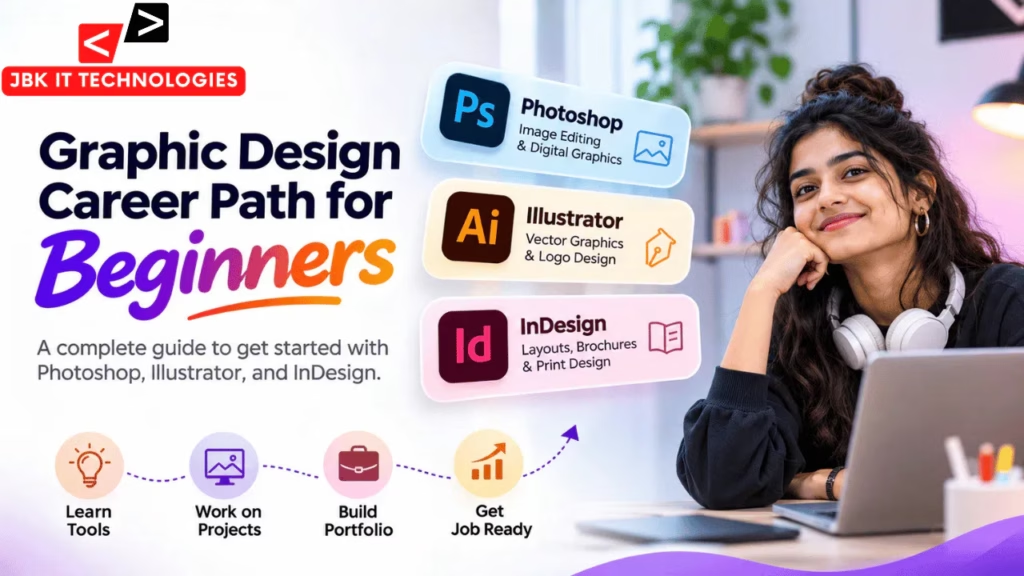
Graphic Design Career Path for Beginners: Photoshop, Illustrator, and InDesign

Graphic design is an important part of modern communication. Businesses, educational institutions, advertising agencies, and digital brands use visual content to communicate information, promote products, and build their identity.

From social media posts and advertisements to logos, brochures, packaging, and website graphics, graphic design is used across many industries.

For beginners interested in entering this field, one common question is: which tools should I learn first?

Three widely used design applications are Adobe Photoshop, Adobe Illustrator, and Adobe InDesign. Each application serves a different purpose. Photoshop is mainly used for image editing and pixel-based graphics, Illustrator is used for vector graphics and illustrations, and InDesign is designed for page layouts and publishing.

Understanding the difference between these tools can help beginners build the right skills and develop a practical graphic design career path.

This guide explains what graphic design involves, how Photoshop, Illustrator, and InDesign are used, what projects beginners should practise, and which career opportunities they can explore.

1. What Is Graphic Design?

Graphic design is the process of communicating ideas and information through visual elements such as images, typography, colours, shapes, illustrations, and layouts.

A graphic designer combines these elements to create designs that are visually clear, attractive, and suitable for a particular audience or purpose.

For example, when a company launches a new product, it may need:

  • A logo or brand identity.

  • Social media promotional posts.

  • Digital advertisements.

  • Product brochures.

  • Packaging designs.

  • Website banners.

  • Marketing presentations.

A graphic designer helps create these visual materials while following the brand’s requirements.

Important Elements of Graphic Design

Typography: The selection and arrangement of fonts to make information readable and visually consistent.

Colour Theory: Understanding how colours work together and how they influence the appearance and mood of a design.

Composition: Arranging text, images, shapes, and other elements in a balanced layout.

Visual Hierarchy: Organising content so viewers can identify the most important information first.

Contrast: Using differences in colour, size, shape, or weight to make important elements stand out.

Alignment and Spacing: Maintaining a clean structure and consistent distance between design elements.

These fundamentals are important regardless of which graphic design software you use.

2. Why Should Beginners Learn Graphic Design?

Graphic design can be a useful skill for people interested in creative work, visual communication, advertising, and digital media.

It combines creativity with practical problem-solving. Designers need to understand not only how to use software but also how to communicate a message effectively.

Some common applications of graphic design include:

  • Social media marketing.

  • Brand identity development.

  • Digital advertising.

  • Website and landing page graphics.

  • Print advertisements.

  • Product packaging.

  • Editorial and publication design.

  • Event and educational promotional materials.

For example, an educational institute may need course posters, admission advertisements, classroom banners, certificates, and social media creatives. A designer may work on these materials while following the institute’s branding and communication requirements.

Learning graphic design also provides a foundation for exploring related areas such as UI design, motion graphics, digital marketing design, and visual content creation.

3. Adobe Photoshop: Image Editing and Digital Graphics

Adobe Photoshop is a popular image-editing application used by graphic designers, photographers, digital artists, and marketing teams.

It is primarily a raster-based application, meaning images are made up of pixels. Photoshop is especially useful when working with photographs, image compositions, digital artwork, and social media graphics.

Important Photoshop Skills for Beginners

1. Image Editing

Learn how to crop, resize, rotate, adjust, and improve images.

These skills are useful when preparing photographs for websites, advertisements, and social media platforms.

2. Layers and Masks

Layers allow designers to organise different elements separately. Layer masks help hide or reveal parts of an image without permanently deleting the original content.

Understanding layers and masks is essential for creating flexible designs.

3. Background Removal

Learn how to separate a subject from its background using selection tools and masking techniques.

For example, a product photograph can be placed on a different background for an advertisement.

4. Colour Correction

Photoshop provides tools to adjust brightness, contrast, saturation, exposure, and colour balance.

These features help improve image quality and maintain a consistent visual appearance.

5. Photo Manipulation

Designers can combine multiple images, add effects, adjust lighting, and create creative compositions.

This is commonly used for promotional posters, advertisements, and digital artwork.

6. Social Media Design

Photoshop can be used to create:

  • Instagram posts and promotional creatives.

  • YouTube thumbnails.

  • Facebook advertisements.

  • Website banners.

  • Event posters.

  • Digital marketing graphics.

Example Photoshop Project

Imagine a training institute wants to promote a new Photoshop course.

A designer can create a promotional poster by combining a student photograph, course details, background graphics, typography, and the institute’s branding.

Photoshop helps manage these different visual elements within one design file.

Beginner practice projects:

  • Create a promotional poster.

  • Remove the background from a product image.

  • Design a YouTube thumbnail.

  • Create a social media advertisement.

  • Retouch a portrait photograph.

4. Adobe Illustrator: Vector Graphics and Logo Design

Adobe Illustrator is a vector-based design application used to create scalable graphics, illustrations, icons, logos, and branding materials.

Unlike raster images, vector graphics are created using mathematical paths, shapes, and points. This allows them to be resized without losing their sharpness, making Illustrator suitable for many branding and illustration projects.

Important Illustrator Skills for Beginners

1. Shape Creation

Learn how to create and combine basic shapes such as circles, rectangles, polygons, and custom forms.

These shapes can be used to develop logos, icons, and illustrations.

2. Pen Tool

The Pen Tool is an important feature for creating precise paths, curves, and custom vector shapes.

It is useful for drawing logos, illustrations, and detailed graphic elements.

3. Typography and Text Effects

Illustrator allows designers to work with text, adjust letter spacing, create outlines, and combine typography with vector artwork.

4. Logo Design

One of Illustrator’s common uses is creating logos and brand identity elements.

Designers can create scalable logo files suitable for websites, business cards, banners, and packaging.

5. Icons and Illustrations

Illustrator is useful for creating custom icons, vector illustrations, infographics, and decorative elements.

6. Colour and Gradient Techniques

Learn how to apply solid colours, gradients, strokes, and other appearance settings to vector artwork.

Example Illustrator Project

Suppose a new business needs a logo that represents its services.

A designer can use Illustrator to create different logo concepts, refine shapes, adjust typography, and prepare vector files for different applications.

The finished artwork can be resized for a website, business card, banner, or printed material.

Beginner practice projects:

  • Design a simple business logo.

  • Create a set of social media icons.

  • Draw a vector illustration.

  • Design a business card.

  • Create a simple infographic.

5. Adobe InDesign: Layout and Publishing Design

Adobe InDesign is a page-layout and publishing application used to create documents containing multiple pages or structured layouts.

It is commonly used for brochures, magazines, catalogues, reports, books, newsletters, and other publication materials.

While Photoshop focuses on image editing and Illustrator focuses on vector graphics, InDesign helps designers organise text and visual content across pages.

Important InDesign Skills for Beginners

1. Page Layout

Learn how to arrange text, images, headings, and other content within a page.

2. Master Pages and Parent Pages

These features help maintain consistent layouts across multiple pages by reusing elements such as page numbers, headers, and footers.

3. Typography and Paragraph Styles

InDesign provides controls for managing fonts, paragraph formatting, character styles, line spacing, and text alignment.

4. Working With Images

Designers can place photographs and illustrations into page layouts while controlling their size, position, and fitting.

5. Multi-Page Documents

InDesign is useful for creating structured documents with multiple pages, including brochures, magazines, and product catalogues.

6. Print-Ready PDF Export

Designers can prepare documents for printing by managing page settings, bleed, margins, colour requirements, and PDF export options.

Example InDesign Project

Imagine a company wants a 12-page product catalogue.

The designer needs to arrange product photographs, descriptions, specifications, headings, and page numbers consistently.

InDesign makes it easier to maintain the same layout style throughout the document.

Beginner practice projects:

  • Design a two-fold brochure.

  • Create a company profile.

  • Prepare a product catalogue.

  • Design a simple magazine layout.

  • Create a multi-page report.

6. Photoshop vs Illustrator vs InDesign: Key Differences

Although all three applications are used in graphic design, they have different purposes.

FeaturePhotoshopIllustratorInDesign
Main purposeImage editingVector graphicsPage layout
Graphic typeRasterVectorPage-based layouts
Best forPhotos and image compositionsLogos, icons, illustrationsBrochures, magazines, catalogues
Main elementsPixels and layersPaths and shapesText frames and placed graphics
Common projectsPosters and social media creativesLogos and brandingMulti-page publications
ScalingDepends on image resolutionScales without losing sharpnessDepends on placed assets and document output
Typical outputDigital imagesVector and digital graphicsPrint and digital publications

Which Application Should You Use?

  • Use Photoshop when you need to edit photographs, combine images, or create raster-based promotional graphics.

  • Use Illustrator when you need to create logos, icons, illustrations, or scalable vector artwork.

  • Use InDesign when you need to organise text and images across multiple pages.

Professional designers may use all three applications together depending on the requirements of a project.

7. How Do Photoshop, Illustrator, and InDesign Work Together?

Understanding how these applications complement one another is an important part of developing professional design skills.

Consider a company that wants to launch a new product catalogue.

The designer may follow this workflow:

Step 1: Create the Brand Graphics in Illustrator

The designer prepares the logo, icons, vector illustrations, and other scalable graphic elements.

Step 2: Edit Product Photographs in Photoshop

Product photographs are adjusted, retouched, cropped, and prepared for use in the catalogue.

Step 3: Create the Catalogue in InDesign

The designer places the logo, edited photographs, product descriptions, headings, and other content into a structured multi-page layout.

Step 4: Export the Final Document

The completed catalogue is checked and exported in the required PDF format for digital distribution or printing.

This workflow shows why understanding all three applications can be valuable for graphic designers.

8. How to Build a Graphic Design Portfolio as a Beginner

A portfolio is a collection of your design work that demonstrates your skills, creativity, and ability to solve visual communication problems.

For beginners, a strong portfolio does not need to contain dozens of projects. It should include a small selection of well-executed designs that demonstrate different skills.

Projects to Include in Your Portfolio

1. Social Media Designs

Create a set of Instagram posts for a fictional business. Include a promotional post, an informational post, and an event announcement.

2. Logo and Branding Project

Create a logo for a fictional company. Include colour variations, typography, and examples of how the logo can be used.

3. Promotional Poster

Design an advertisement for a product, course, event, or service.

4. Brochure Design

Create a two-fold or three-fold brochure using InDesign. Focus on layout, typography, spacing, and readability.

5. Product Catalogue

Create a small catalogue featuring product photographs, descriptions, and pricing information.

6. Photo Manipulation

Show how you combine images, improve photographs, or create a creative visual composition using Photoshop.

What Should Each Portfolio Project Include?

For each project, explain:

  • The purpose of the design.

  • The intended audience.

  • The design concept.

  • The tools used.

  • The final design output.

You can present your work using a personal portfolio website, Behance, or another suitable platform.

Always distinguish self-initiated practice projects from actual client work. Do not present fictional projects as paid client assignments.

9. Graphic Design Career Opportunities

After developing design fundamentals and practical software skills, beginners can explore different career paths.

The exact requirements vary depending on the employer, industry, and level of responsibility.

1. Junior Graphic Designer

Works on social media graphics, advertisements, posters, banners, and other visual materials under the guidance of a senior designer or creative team.

2. Social Media Designer

Creates visual content for platforms such as Instagram, Facebook, LinkedIn, and YouTube.

Common responsibilities include designing post templates, promotional creatives, campaign graphics, and thumbnails.

3. Logo and Branding Designer

Works on logos, colour systems, typography, brand guidelines, and visual identity materials.

Illustrator is particularly useful for this type of work.

4. Print and Publication Designer

Creates brochures, catalogues, magazines, flyers, reports, and other print-related materials.

InDesign is commonly used for structured publication layouts.

5. Advertising Designer

Develops promotional materials for businesses and advertising campaigns, including digital advertisements, banners, posters, and marketing creatives.

6. Creative Designer

Works across different design requirements, combining image editing, typography, illustrations, layouts, and brand communication.

A creative designer may use Photoshop, Illustrator, InDesign, and other design applications depending on the project.

10. Beginner Graphic Design Learning Roadmap

A structured learning plan can help beginners develop skills without becoming overwhelmed by multiple applications.

Week 1: Learn Design Fundamentals

Understand:

  • Colour theory.

  • Typography.

  • Layout and composition.

  • Alignment and spacing.

  • Visual hierarchy.

  • Basic design principles.

Practise by analysing posters, advertisements, and social media graphics.

Weeks 2–3: Learn Photoshop

Focus on:

  • Workspace and tools.

  • Layers and masks.

  • Selection techniques.

  • Image editing.

  • Background removal.

  • Colour correction.

  • Poster and social media design.

Practice project: Create a promotional poster and a social media post.

Weeks 4–5: Learn Illustrator

Focus on:

  • Shapes and paths.

  • Pen Tool.

  • Typography.

  • Logo design.

  • Vector illustrations.

  • Colour and gradients.

Practice project: Design a logo, business card, and simple icon set.

Week 6: Learn InDesign

Focus on:

  • Page setup.

  • Text frames.

  • Image placement.

  • Paragraph styles.

  • Page layouts.

  • PDF export.

Practice project: Create a brochure or small product catalogue.

Week 7: Build a Portfolio

Select your strongest projects and organise them into a portfolio.

Include examples of image editing, vector design, social media graphics, branding, and page layouts.

Week 8: Prepare for Job Applications

Prepare:

  • A portfolio link.

  • A resume highlighting relevant design skills.

  • A selection of completed projects.

  • A short explanation of your design process.

Practise explaining the purpose and tools used in each project.

This eight-week roadmap is an introductory structure. The actual time required depends on your learning pace, practice hours, and the complexity of the projects.

11. Learning Graphic Design in Dilsukhnagar and Hyderabad

Students searching for a graphic design course in Dilsukhnagar or graphic design training in Hyderabad should evaluate the practical content of the programme before choosing a learning path.

A useful beginner programme should cover design fundamentals along with hands-on practice in relevant applications.

When comparing a Photoshop training institute in Hyderabad with other graphic design training options, consider these points:

  • Does the programme teach design fundamentals?

  • Does it include practical Photoshop image-editing exercises?

  • Does it cover Illustrator logo and vector design?

  • Does it introduce InDesign page layouts?

  • Are students given real-world design assignments?

  • Can students create portfolio-ready projects?

  • Does the training explain digital and print design requirements?

Students around Dilsukhnagar can also practise by creating designs for fictional local businesses, educational institutions, restaurants, retail shops, and service providers.

For example, a beginner can create a promotional poster for a fictional training institute, a logo for a local café, and a brochure for a service business.

These projects help learners understand how design tools are used for everyday business communication.

The main objective should be to develop practical design skills, not simply to learn where different software tools are located.

12. Common Mistakes Beginners Should Avoid

1. Learning Software Without Understanding Design Principles

Knowing how to use Photoshop or Illustrator does not automatically make someone a good designer. Learn typography, colour, composition, and visual hierarchy alongside software skills.

2. Using Too Many Fonts

Using too many font styles can make a design look inconsistent. Start with a limited font combination and maintain clear typography.

3. Ignoring Alignment and Spacing

Poor alignment and inconsistent spacing can make even a good concept look unprofessional.

4. Copying Designs Without Understanding Them

Use existing designs for inspiration, but practise developing your own concepts and layouts.

5. Ignoring File Formats

Understand the difference between raster and vector formats, as well as common file types such as PSD, AI, INDD, PDF, PNG, and JPEG.

6. Skipping Portfolio Development

Do not wait until you become an expert to start building a portfolio. Add your best practice projects as your skills improve.

7. Using Copyrighted Assets Without Permission

Use original, licensed, or appropriately permitted images, fonts, and graphic assets in your portfolio and professional projects.

13. Frequently Asked Questions

1. Which tools should a beginner graphic designer learn?

Beginners should learn Photoshop for image editing, Illustrator for vector graphics and logo design, and InDesign for page layouts and publishing. Learning design fundamentals alongside these tools is equally important.

2. Should I learn Photoshop or Illustrator first?

Photoshop can be a practical starting point for beginners interested in image editing and social media graphics. However, those interested in logo design and vector illustrations may prefer starting with Illustrator. The choice depends on your design interests.

3. What is the difference between Photoshop and Illustrator?

Photoshop is primarily used for raster-based image editing and digital compositions, while Illustrator is used to create vector graphics such as logos, icons, and illustrations.

4. Is InDesign necessary for graphic designers?

InDesign is particularly useful for designers working on brochures, magazines, catalogues, reports, and other multi-page publications. Not every graphic design role requires it, but it is valuable for print and editorial design.

5. Can I become a graphic designer without drawing skills?

Yes. Drawing skills can be useful, especially for illustration work, but many graphic design roles focus on layout, typography, image editing, branding, and visual communication. You can develop these skills without being an expert artist.

6. What projects should beginners include in a graphic design portfolio?

Include social media posts, promotional posters, logo designs, business cards, brochures, product catalogues, and image-editing projects. Choose work that demonstrates different skills and design applications.

7. What jobs can I apply for after learning graphic design?

Depending on your skills and portfolio, you can explore junior graphic designer, social media designer, advertising designer, branding designer, print designer, and creative designer roles.

8. Can I learn graphic design in two months?

You can build an introductory foundation in two months with consistent practice. However, developing professional-level design skills takes longer and requires completing different projects, improving your visual judgement, and building a strong portfolio.

9. Is Photoshop training in Hyderabad useful for beginners?

A practical Photoshop learning programme can help beginners understand image editing, layers, masks, selections, colour correction, and digital graphics. For a broader graphic design career path, it is useful to explore Illustrator and InDesign as well.

10. What should I check before joining a graphic design course in Dilsukhnagar?

Review the syllabus, software coverage, trainer experience, practical assignments, project work, and portfolio development opportunities. Make sure the programme matches your learning goals.

Enquiry Form