Ameerpet Hyderabad
Call Now : 9390612347
Dilsukhnagar Hyderabad
Call Now : 8096061003
Mehdipatnam Hyderabad
Call Now : 9000709021
Call Now : 9390612347
Call Now : 8096061003
Call Now : 9000709021
JBK IT Technologies is one of the Photoshop Training Institutes in Dilsukhnagar Hyderabad offering practical training.
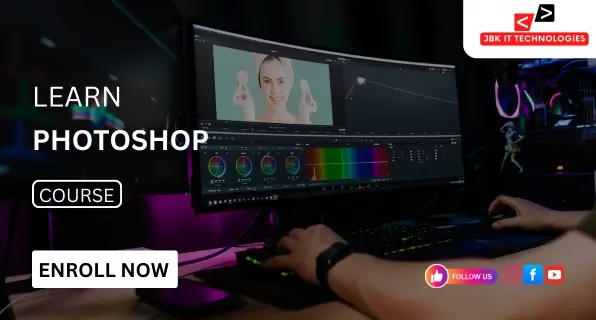
JBK IT Technologies is the most reputable Photoshop training institution located in Dilsukhnagar, Hyderabad. The program is designed to give you a comprehensive education in graphic design, editing digital images, and innovative visual communication. From the basic tools up to the most advanced methods, each idea is taught in practical exercises and live-action projects. The focus of the training is on building skills through hands-on learning. The students are working on designs, such as banners, brochures, ads and thumbnails, and posters, along with marketing and creatives. Every subject can be covered in a step-by-step way, allowing students to understand the fundamental tools, techniques for creativity, and workflows that professionals use in the field. This Photoshop course is focused on artistic and technical development. Subjects such as photo retouching, typography, colour correction, and layout design, as well as digital composition, are discussed in detail. With expert guidance from instructors, students build their confidence through live projects as well as case studies and branding concepts. JBK IT Technologies provides an excellent platform for those looking to begin a career in graphic design. Or work as freelance designers, or help clients with quality graphics. The program also offers 100% assistance with placement, as well as portfolio building and interview training and soft skills sessions. The program is designed to provide an ideal balance of theory and practice, helping students prepare to take on creative roles in digital marketing, advertising, designing websites, and social media, as well as visual branding. The best Photoshop training at Dilsukhnagar, Hyderabad
The Photoshop course offered by JBK IT Technologies in Dilsukhnagar, Hyderabad, offers structured instruction on digital editing of images as well as graphic design that is creative and innovative. The program focuses on artistic and technical concepts, which makes it ideal for those who want to work in branding, advertising, media, or digital marketing. This course begins with knowledge about the Adobe Photoshop interface and essential tools. The training gradually moves to more advanced techniques like masking, layer management, background removal, photo retouching, colour correcting, and digital painting, along with advanced compositions. The emphasis is on the practice in real time. Students create advertising posters, banners for products and social media-related creatives, brochures, and branding elements. Each subject is accompanied by hands-on projects to provide a solid base in design. The curriculum also has courses covering layout planning as well as design, typography, smart object effects, filters, and exporting designs to both digital platforms and print. When the course is over, of course, all participants will have completed several creative projects, as well as an individual portfolio. This course is perfect for students of design as well as job-seeking freelance creators and professionals seeking to develop the skills of visual content. With expert instructors as well as real-world projects and guidance on placement, the course prepares students to work in the field with confidence. Best Photoshop training available in Dilsukhnagar, Hyderabad
This Photoshop course is suitable for a wide range of learners with various academic and professional backgrounds. The training structure is be
Ideal for those studying or holding degrees in multimedia, graphic design, animation, digital marketing, or related fields. This course strengthens creative and technical abilities needed for visual design careers.
Well-suited for candidates aiming to enter the creative, advertising, or digital marketing industries. The program includes real-time projects that help in building a strong portfolio for job applications.
Useful for professionals working in marketing, media, branding, publishing, or online content creation. The training helps improve design productivity and visual content quality in workplace environments.
Practical for freelance designers and entrepreneurs managing brand identity, promotional material, and online presence. Enables independent creation of high-quality visual content.
Practical for freelance designers and entrepreneurs managing brand identity, promotional material, and online presence. Enables independent creation of high-quality visual content.
| Course Name | Start Date | Mode | Timing | Enroll |
|---|---|---|---|---|
| Tally | 30/03/2026 | Online/Offline | 10:00 AM | Book Slot |
| Power BI | 30/03/2026 | Online/Offline | 03:00 PM | Book Slot |
| Java | 30/03/2026 | Online/Offline | 06:00 PM | Book Slot |
| MS office | 30/03/2026 | Online/Offline | 11:00 AM | Book Slot |
| Zohobooks | 30/03/2026 | Online/Offline | 06:00 PM | Book Slot |
| Advanced Excel | 30/03/2026 | Online/Offline | 03:00 PM | Book Slot |

ISO Certified institute offering quality training and industry-recognized certification.

Industry experts with real-time project experience and teaching excellence.

100% placement support with interview preparation and resume building.

Hands-on training with practical, business-oriented Excel assignments.

Interview practice sessions to boost confidence and job readiness.

Interactive sessions for real-time query resolution and concept clarity.














You will learn everything from basic photo editing to advanced design techniques. The course covers tools like layers, masks, filters, color correction, retouching, typography, and creative compositions used in digital design.
Yes, this course is perfect for beginners. No prior experience is required. The training starts from scratch and gradually builds your skills.
No, JBK IT Technologies provides all the necessary lab facilities, including systems with pre-installed Adobe Photoshop software for hands-on practice.
Yes, after successfully completing the course, you will receive a certificate from JBK IT Technologies that adds value to your resume.
You can work as a graphic designer, photo editor, social media designer, creative artist, visual designer, or freelancer in the design industry.
Absolutely. JBK IT Technologies offers 100% placement support, mock interviews, resume building, and job referrals.The duration of the Photoshop course is typically 30 to 45 days, depending on the batch and learning pace.
