Ameerpet Hyderabad
Call Now : 9390612347
Dilsukhnagar Hyderabad
Call Now : 8096061003
Mehdipatnam Hyderabad
Call Now : 9000709021
Call Now : 9390612347
Call Now : 8096061003
Call Now : 9000709021
JBK IT Technologies is one of the Illustrator Training Institutes in Dilsukhnagar Hyderabad offering practical training.
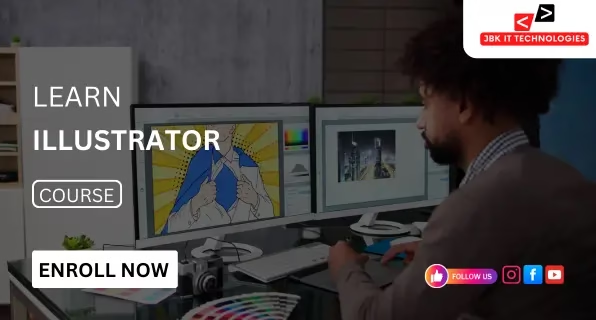
JBK IT Technologies is the leading Illustrator training centre located in Dilsukhnagar, Hyderabad, offering an expertly led course for vector design and illustration and digital art creation. This course is designed to give you practical knowledge of Adobe Illustrator, widely used for branding, advertising, and publishing, in addition to user interface design. The instruction starts with a solid foundation in Illustrator’s interface as well as essential tools, then advanced techniques like control of pen tool shapes and form manipulation, as well as customised fonts, colour gradients, patterns, and vector illustrations. Each lesson is taught with live-streamed design exercises that reflect current industry practices. The course is a project-based program that focuses on logo design, poster design, brochure layouts, and social media creatives. It also covers packaging for products and icons. Practical assignments aid in strengthening design thinking and boost the efficiency of workflows. It is an excellent course for people who want to pursue jobs in graphic design, advertising, UI/UX design, media, and the freelance provision of creative and design services. It also offers classes on how to prepare artwork for print and digital platforms and support for developing portfolios. JBK IT Technologies ensures professional-level training that is supervised by knowledgeable instructors with practical experience in the field, which helps students acquire the skills needed to succeed in creative roles in the industry. The most renowned Illustrator training center is located in Dilsukhnagar, Hyderabad.
The Illustrator course at JBK IT Technologies provides structured training in vector-based graphic design and digital illustration. Adobe Illustrator is widely recognized for its precision and scalability, making it an essential tool in branding, publishing, advertising, and UI/UX design. This course focuses on core design techniques including shape creation, pen tool mastery, path editing, anchor point control, and typography design. Advanced topics include gradient mesh, custom patterns, infographics, logo design, and character illustration. Training sessions include real-time assignments, creative exercises, and exposure to client-style projects. Design tasks such as posters, logos, flyers, packaging layouts, social media graphics, and icon sets are part of the practical curriculum. Emphasis is placed on layout design, alignment techniques, color theory, and preparing files for print and digital platforms. Instruction is delivered by professionals with industry experience, ensuring alignment with current design standards. The course also integrates portfolio development and design presentation techniques required for creative industry roles. This Illustrator training is suitable for individuals aiming to work in graphic design, advertising, product branding, media, publishing, and freelance illustration. Upon completion, participants gain the creative and technical expertise required for producing professional vector artwork. It is the best Illustrator training institute in Dilsukhnagar, Hyderabad .
This Illustrator course is structured to support learners from different academic and professional backgrounds. The curriculum is designed for individuals interested in mastering vector-based graphic design and illustration.
Learners from design, multimedia, fine arts, animation, or communication backgrounds can gain advanced skills in vector graphics and layout design.
Candidates planning to enter fields such as graphic design, branding, advertising, UI/UX design, or publishing can benefit from practical training in Illustrator’s design environment.
Employees in digital marketing, advertising, content production, or media sectors can improve visual design quality and productivity through Illustrator expertise.
Freelance professionals offering design services for logos, branding, packaging, or social media graphics can use this training to refine creative workflow and technical output.
Entrepreneurs managing product promotions or brand development can apply Illustrator tools for in-house visual content creation and professional brand identity design.
| Course Name | Start Date | Mode | Timing | Enroll |
|---|---|---|---|---|
| Tally | 30/03/2026 | Online/Offline | 10:00 AM | Book Slot |
| Power BI | 30/03/2026 | Online/Offline | 03:00 PM | Book Slot |
| Java | 30/03/2026 | Online/Offline | 06:00 PM | Book Slot |
| MS office | 30/03/2026 | Online/Offline | 11:00 AM | Book Slot |
| Zohobooks | 30/03/2026 | Online/Offline | 06:00 PM | Book Slot |
| Advanced Excel | 30/03/2026 | Online/Offline | 03:00 PM | Book Slot |

ISO Certified institute offering quality training and industry-recognized certification.

Industry experts with real-time project experience and teaching excellence.

100% placement support with interview preparation and resume building.

Hands-on training with practical, business-oriented Excel assignments.

Interview practice sessions to boost confidence and job readiness.

Interactive sessions for real-time query resolution and concept clarity.












The Illustrator course covers everything from basic tools to advanced techniques. You'll learn vector drawing, logo creation, typography design, icon design, infographics, branding assets, and how to create print-ready and web-ready graphics.
Yes, the Illustrator course is designed for both beginners and professionals. No prior design experience is needed. The training starts from the basics and moves toward advanced-level projects.
The course is based on Adobe Illustrator, and all sessions are conducted using the latest version. You’ll also learn how to use tools like the Pen Tool, Pathfinder, Layers, Artboards, and Effects.
The course typically runs for 30 to 45 days, depending on the batch timing and the student’s learning speed. Flexible timings are available for students, working professionals, and freelancers.
Yes, upon successful completion, you will receive a professional certificate from JBK IT Technologies Training Institute in Dilsukhnagar, Hyderabad, which can strengthen your resume and portfolio.
You can work as a graphic designer, branding designer, logo artist, illustrator, print designer, or even as a freelance designer offering creative services to companies and clients.
