Ameerpet Hyderabad
Call Now : 9390612347
Dilsukhnagar Hyderabad
Call Now : 8096061003
Mehdipatnam Hyderabad
Call Now : 9000709021
Call Now : 9390612347
Call Now : 8096061003
Call Now : 9000709021
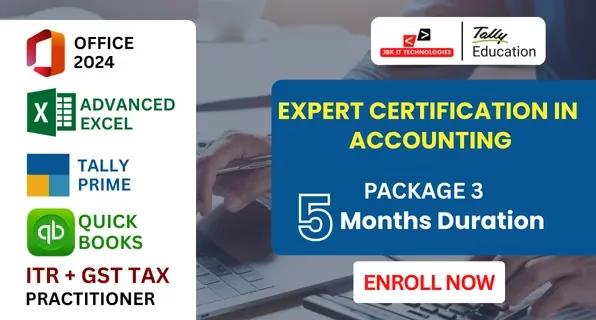


































The Expert Certification in Accounting – Package 3 (5 Months) is a practical accounting and taxation training program that focuses on office tools, manual and computerized accounting, cloud-based accounting, and Indian taxation procedures. The program is structured to provide hands-on exposure to accounting activities followed in small and medium-sized business environments. The course begins with training in MS Office 2024 and Advanced Excel, which are used for office documentation, data handling, reporting, and basic financial analysis. These tools support routine accounting and administrative operations. The Tally Prime module covers company creation, ledger maintenance, purchase and sales accounting, inventory management, banking entries, Profit & Loss Account, and Balance Sheet preparation. This module provides working knowledge of computerized accounting practices followed in Indian businesses. The QuickBooks module introduces cloud-based accounting systems. It includes online invoicing, bank synchronization, expense tracking, customer and vendor management, and financial report generation. This module supports accounting operations in small businesses and service-based organizations. The ITR & GST Tax Practitioner module covers Income Tax fundamentals, PAN compliance, GST registration, GSTR return filing, Input Tax Credit, and practical return filing procedures. The course includes software-based practice, accounting exercises, and basic case studies. After completion, learners gain working knowledge of accounting software, cloud accounting operations, basic taxation procedures, and financial reporting.
Introduction to Excel interface & navigation
Workbook & worksheet management
Basic formulas and cell referencing
Sorting & Filtering data
Logical Functions: IF, AND, OR, IFERROR, IFS
Lookup Functions: VLOOKUP, HLOOKUP, INDEX, MATCH, XLOOKUP
Text Functions: LEFT, RIGHT, MID, LEN, TRIM, CONCATENATE, TEXTJOIN
Date & Time Functions: TODAY, NOW, DATEDIF, NETWORKDAYS
Math & Statistical Functions: SUMIFS, COUNTIFS, AVERAGEIFS, ROUND, RANK, SUBTOTAL
Creating dropdown lists
Applying custom validation rules
Highlighting duplicate values
Using formulas in conditional formatting
Sorting & advanced filtering
Using Tables and Structured References
Working with slicers
Using Remove Duplicates & Text to Columns
Creating & customizing Pivot Tables
Grouping, filtering & summarizing data
Creating interactive Pivot Charts
Using slicers and timelines
Designing dynamic dashboards
Using charts (bar, line, combo, pie, etc.)
Using sparklines, gauges & KPI indicators
Creating dashboard layout with form controls
Scenario Manager
Goal Seek
Data Tables
Solver Tool for optimization

ISO Certified institute offering quality training and industry-recognized certification.

100% placement support with interview preparation and resume building.

Interview practice sessions to boost confidence and job readiness.

Industry experts with real-time project experience and teaching excellence.

Hands-on training with practical, business-oriented Excel assignments.

Interactive sessions for real-time query resolution and concept clarity.
No, beginners from any background can join.
Yes, it is designed for direct job placement.
Yes, full placement assistance is provided.
Yes, you will receive course completion certificates.
