Ameerpet Hyderabad

Call Now : 9390612347

Dilsukhnagar Hyderabad

Call Now : 8096061003

Mehdipatnam Hyderabad

Call Now : 9000709021

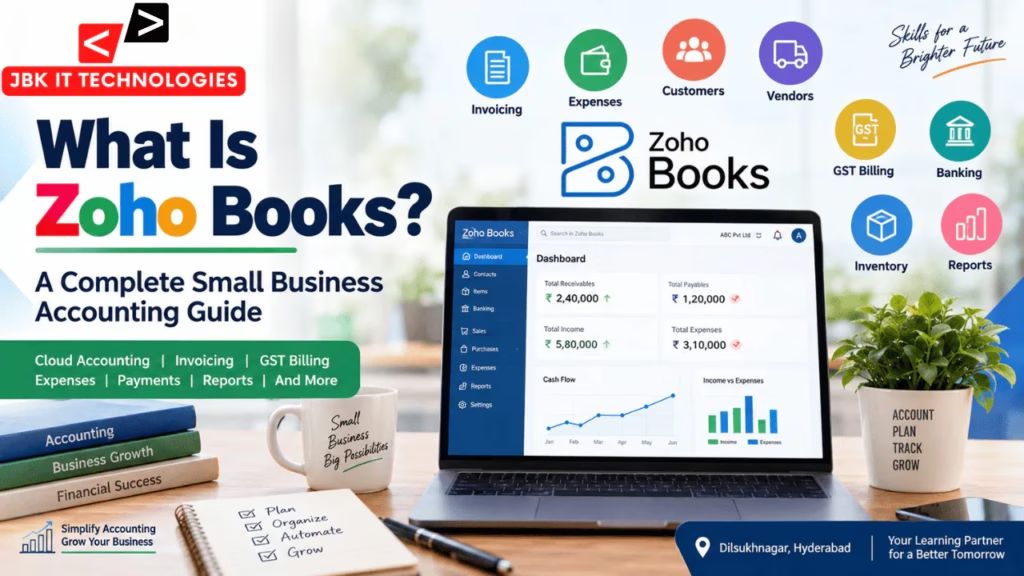
What Is Zoho Books? A Complete Small Business Accounting Guide

Managing business finances manually can become difficult as a company grows. Businesses need to keep track of sales, purchases, invoices, expenses, payments, customers, vendors, taxes, inventory, and financial reports. When these activities are handled through disconnected spreadsheets or paper records, maintaining accurate and organized financial information can take considerable time.

This is where Zoho Books comes into the picture.

Zoho Books is a cloud-based accounting software designed to help businesses manage their accounting activities digitally. It can be used for invoicing, expense tracking, customer and vendor management, payments, bank reconciliation, inventory management, GST-related accounting, and financial reporting.

For small businesses, freelancers, service providers, startups, and accounting professionals, cloud accounting tools can provide a structured way to manage everyday financial transactions.

But what exactly is Zoho Books? How does it work? What can businesses use it for? Is it different from traditional accounting software? And how does it compare with Tally?

This guide explains what Zoho Books is, how Zoho Books is used in small business accounting, its major features, cloud accounting benefits, GST billing, reports, and who can learn the software.

What Is Zoho Books?

Zoho Books is an online accounting software that helps businesses record, organize, and manage financial transactions through a cloud-based platform.

Instead of maintaining accounting information only on a single computer or relying entirely on physical records, businesses can use a cloud accounting system to manage their financial information digitally.

Zoho Books can be used for activities such as:

  • Creating and managing invoices
  • Recording sales and purchases
  • Tracking business expenses
  • Managing customers and vendors
  • Recording payments and receipts
  • Managing bank transactions
  • Performing bank reconciliation
  • Managing inventory
  • Configuring GST
  • Generating financial reports
  • Managing recurring transactions
  • Tracking receivables and payables

For example, imagine a small digital marketing agency that provides services to several clients every month. The agency needs to create invoices, record payments, track expenses such as software subscriptions, maintain customer information, and monitor outstanding amounts.

Instead of maintaining separate spreadsheets for every activity, the business can organize these accounting processes within Zoho Books.

What Is Cloud Accounting?

Before understanding Zoho Books in detail, it is useful to understand cloud accounting.

Traditional accounting software may often be associated with information being maintained on a particular computer or local system. Cloud accounting, on the other hand, uses online infrastructure to store and manage accounting information.

A cloud-based accounting system can make it easier for authorized users to work with financial information from different locations, depending on the software plan, user permissions, and internet availability.

This can be particularly useful for small businesses with owners, accountants, and employees working from different locations.

For example:

A business owner may want to check outstanding customer invoices while travelling. An accountant may need to record an expense from another location. A finance employee may need to review a report while working remotely.

A cloud accounting platform can support these types of workflows.

Zoho Books training at JBK IT Technologies includes an introduction to cloud-based accounting and practical accounting workflows, including transactions, banking, GST, inventory, and reports.

How Is Zoho Books Used in Small Business Accounting?

Small businesses usually perform several accounting activities every day. Zoho Books can bring many of these activities together within one accounting system.

A typical workflow may look like this:

Customer → Quotation → Sales Order → Invoice → Payment → Accounting Record → Financial Report

Similarly, a purchase workflow could be:

Vendor → Purchase Order → Bill → Payment → Expense/Accounting Record

The exact workflow depends on the business and its accounting practices.

Let’s look at the major ways businesses can use Zoho Books.

1. Creating and Managing Invoices

One of the most common uses of Zoho Books is invoicing.

An invoice is a document issued by a business to a customer requesting payment for products or services.

For example, a graphic design agency may complete a branding project for a customer. The agency can create an invoice containing information such as:

  • Business details
  • Customer details
  • Invoice number
  • Invoice date
  • Services provided
  • Quantity
  • Price
  • Applicable taxes
  • Total amount
  • Payment terms

Once the invoice is created, the business can track whether the customer has paid or whether the amount remains outstanding.

This makes invoicing more organized than maintaining individual invoice files manually.

2. Tracking Business Expenses

Every business has expenses.

These could include:

  • Office rent
  • Internet bills
  • Electricity
  • Employee-related expenses
  • Software subscriptions
  • Travel expenses
  • Advertising
  • Office supplies
  • Professional services
  • Equipment purchases

Recording expenses accurately is important because business owners need to understand where money is being spent.

Zoho Books can be used to record and categorize expenses so that businesses can maintain organized financial records.

For example, if a company spends ₹15,000 on online advertising during a month, the transaction can be recorded under an appropriate expense category.

Over time, these records can help the business understand its spending patterns.

3. Managing Customers and Vendors

Businesses usually deal with two important groups:

Customers — people or organizations that purchase products or services.

Vendors — suppliers from whom the business purchases products or services.

Zoho Books provides contact management capabilities for customers and vendors.

A business can maintain information such as:

  • Name
  • Contact details
  • Transaction history
  • Outstanding amounts
  • Statements
  • Invoices
  • Bills
  • Payments

This can make it easier for accounting teams to understand the financial relationship between the business and its customers or suppliers.

4. Recording Payments and Receipts

Creating an invoice is only one part of the accounting process.

Businesses also need to record payments received from customers and payments made to vendors.

For example:

A company issues an invoice of ₹50,000 to a customer.

The customer pays ₹30,000 initially and the remaining ₹20,000 later.

The accounting system should reflect the payment history and remaining balance.

Zoho Books can be used to track these transactions and monitor receivables.

Zoho Books and GST Billing

GST is an important part of accounting for many businesses operating in India.

Businesses registered under GST need to maintain appropriate transaction records and apply the relevant tax information to applicable transactions.

Zoho Books provides GST-related features that can help businesses manage accounting transactions involving GST.

Depending on the business setup, users may work with:

  • GST configuration
  • Tax rates
  • HSN codes
  • SAC codes
  • GST invoices
  • Taxable amounts
  • GST reports
  • GST-related transaction records

For example, suppose a business sells a taxable service to a customer.

The invoice may contain:

Service Value + Applicable GST = Invoice Total

The accounting software can help record the transaction and organize the related tax information.

JBK IT Technologies’ Zoho Books curriculum includes GST configuration, HSN/SAC codes, tax application, GST reports, and GST-related workflows.

However, businesses should always follow applicable GST rules and consult a qualified tax professional when they need advice specific to their circumstances.

Bank Transactions and Bank Reconciliation

Banking is another important part of business accounting.

A company may have hundreds of transactions moving through its bank account every month.

These can include:

  • Customer payments
  • Vendor payments
  • Bank charges
  • Transfers
  • Deposits
  • Withdrawals
  • Subscription payments
  • Loan-related transactions

Keeping accounting records and bank records aligned is important.

This is where bank reconciliation becomes useful.

Bank reconciliation involves comparing accounting records with bank transactions and identifying differences.

For example:

The accounting system shows that a customer paid ₹25,000.

The bank statement should contain the corresponding transaction.

If the transaction is missing, duplicated, or recorded incorrectly, the accounting team can investigate the difference.

Zoho Books training at JBK IT Technologies includes bank accounts, bank feeds, reconciliation, deposits, transfers, and withdrawals.

Inventory Management in Zoho Books

Inventory management becomes important for businesses that sell physical products.

Consider a small electronics shop.

The business needs to know:

  • Which products are available?
  • How many units are in stock?
  • Which items are selling quickly?
  • Which products need to be reordered?
  • What purchases have been made?
  • What products have been sold?

Zoho Books includes inventory-related functionality that can help businesses organize product and stock information.

Businesses can work with:

  • Items
  • Item groups
  • Stock quantities
  • Stock adjustments
  • Inventory tracking
  • Low-stock information

For a product-based business, connecting sales and inventory information can help create a more structured accounting workflow.

Financial Reports in Zoho Books

Accounting is not only about entering transactions.

Businesses also need to understand what their financial data means.

Financial reports can help business owners and accountants analyze business performance.

Common accounting reports may include information about:

  • Income
  • Expenses
  • Receivables
  • Payables
  • Sales
  • Purchases
  • Taxes
  • Cash flow
  • Profit and loss
  • Balance sheet

For example, suppose a business owner wants to understand why expenses increased during a particular month.

By reviewing expense-related information, the owner can identify categories where spending increased.

Similarly, outstanding receivable information can help a business identify customers who have not yet paid their invoices.

This turns accounting data into information that can support business decisions.

What Are the Main Features of Zoho Books?

Zoho Books contains multiple accounting features designed around common business workflows.

Some important areas include:

1. Organization Setup

Businesses can configure their organization information and accounting settings.

2. Chart of Accounts

The chart of accounts provides a structured way to classify financial accounts and transactions.

3. Customer Management

Businesses can maintain customer information and transaction records.

4. Vendor Management

Supplier and vendor information can be organized for purchase and payment activities.

5. Sales Invoices

Businesses can create invoices and track customer payments.

6. Purchase Management

Purchase orders and bills can be recorded and managed.

7. Expense Management

Business expenses can be recorded and categorized.

8. Banking

Bank transactions and related accounting activities can be managed.

9. Bank Reconciliation

Accounting records can be compared with bank transactions.

10. GST

Tax-related settings and GST transaction records can be managed.

11. Inventory

Businesses dealing with products can maintain inventory information.

12. Financial Reporting

Businesses can generate reports for analyzing financial information.

JBK’s published Zoho Books curriculum includes these areas along with credit notes, debit notes, recurring transactions, and other accounting workflows.

Zoho Books Example for a Small Business

Let’s take a simple example.

Imagine ABC Digital Solutions, a small digital marketing company in Hyderabad.

The company provides SEO, social media marketing, and website services.

During one month, it performs the following activities:

Step 1: Customer Creation

ABC Digital Solutions adds a new client to its customer records.

Step 2: Service Invoice

The company completes an SEO project worth ₹40,000 and creates an invoice.

Step 3: Expense Recording

The company pays ₹5,000 for software subscriptions and records the expense.

Step 4: Customer Payment

The client pays ₹40,000 into the company’s bank account.

Step 5: Bank Reconciliation

The accounting team matches the payment with the corresponding bank transaction.

Step 6: GST Accounting

If applicable, the transaction is recorded with the appropriate GST treatment.

Step 7: Reporting

At the end of the month, the business reviews sales, expenses, receivables, and other financial information.

This example demonstrates how different accounting activities can connect within a digital accounting workflow.

Zoho Books vs Traditional Accounting Methods

Traditional bookkeeping may involve a combination of:

  • Paper invoices
  • Excel spreadsheets
  • Physical files
  • Manual calculations
  • Separate payment records
  • Manual report preparation

These methods can work for very small operations, but maintaining consistency can become difficult as transaction volume increases.

Cloud accounting software can provide a more centralized environment.

Instead of keeping customer information in one spreadsheet, invoices in another file, and expenses somewhere else, businesses can manage multiple accounting activities within one system.

However, software does not replace accounting knowledge.

A person using Zoho Books still needs to understand concepts such as:

  • Debit and credit
  • Assets
  • Liabilities
  • Income
  • Expenses
  • Receivables
  • Payables
  • Taxation
  • Bank reconciliation

Therefore, learning accounting fundamentals along with software skills can be useful.

Tally vs Zoho Books

Tally and Zoho Books are both widely discussed accounting software options, but they are not identical.

Tally is commonly used for accounting, taxation, inventory, and business financial management.

Zoho Books is a cloud-based accounting platform designed around online accounting workflows.

The differences can be considered across several areas.

AreaTallyZoho Books
AccountingYesYes
InvoicingYesYes
GSTYesYes
InventoryYesYes
Cloud-based workflowDepends on setup/product configurationCore cloud-based approach
Online accessibilityDepends on setupDesigned for online access
Bank reconciliationAvailableAvailable
Financial reportsAvailableAvailable
Customer/vendor managementAvailableAvailable

The choice between accounting platforms depends on factors such as business requirements, existing systems, workflow preferences, accounting processes, and user needs.

Someone working in accounting may also benefit from understanding more than one accounting platform.

For example, a person may learn Tally for traditional accounting workflows and Zoho Books for cloud accounting workflows.

Who Should Learn Zoho Books?

Zoho Books can be useful for different types of learners.

Commerce Students

Students studying B.Com, M.Com, BBA, or related subjects can use software training to connect accounting concepts with practical digital workflows.

Fresh Graduates

Graduates looking to enter accounting or finance-related roles may consider adding accounting software skills to their existing qualifications.

Accountants

Working accountants can learn cloud accounting to expand their software knowledge.

Small Business Owners

Business owners can learn the basics of accounting software to better understand invoices, expenses, payments, and financial reports.

Freelancers

Freelancers who send invoices and track business expenses may find structured accounting software useful.

Working Professionals

Professionals already working in finance or accounts can learn another accounting platform to expand their technical skill set.

Beginners

A person does not necessarily need programming knowledge to learn Zoho Books. The focus is accounting workflow rather than software development.

JBK IT Technologies lists students, fresh graduates, job seekers, working professionals, beginners without a coding background, career switchers, freelancers, and final-year students among the learners for its Zoho Books training

What Skills Should You Learn Along With Zoho Books?

Learning software alone is not always enough for an accounting career.

A stronger learning path can include:

Accounting Fundamentals

Understand basic accounting principles before moving into advanced software workflows.

GST

Learn how GST works and how GST-related transactions are recorded.

Excel

Excel remains useful for data analysis, calculations, reconciliation, and reporting.

Tally

Learning Tally alongside Zoho Books can provide exposure to different accounting software environments.

Financial Reporting

Understand how to read and interpret accounting reports.

Bank Reconciliation

Learn how to compare bank transactions with accounting records.

Invoicing

Understand how invoices, payments, receivables, and outstanding balances work.

A combination of accounting knowledge and software skills can provide a broader foundation than learning only how to click through a software interface.

Learning Zoho Books in Dilsukhnagar, Hyderabad

For learners specifically searching for a Zoho Books course in Dilsukhnagar, local classroom training can provide an opportunity to learn accounting software through guided exercises.

JBK IT Technologies offers Zoho Books training in Dilsukhnagar, Hyderabad. Its published curriculum covers organization setup, chart of accounts, customers and vendors, sales, purchases, expenses, banking, GST, inventory, and financial reports.

The institute also describes practical exercises involving business transactions, accounting scenarios, invoices, expenses, receivables, payables, reconciliation, GST-related entries, and reports.

For learners who prefer online learning, JBK also publishes an online Zoho Books training option covering similar accounting workflows.

The right learning method depends on an individual’s schedule, learning style, accounting background, and practical requirements.

What Is the Difference Between Zoho Books and an Excel Spreadsheet?

Excel is a powerful spreadsheet application and can be used for accounting calculations and financial records.

However, Zoho Books is specifically designed around accounting workflows.

For example, in Excel, a business may create separate worksheets for:

  • Customers
  • Sales
  • Expenses
  • Payments
  • Purchases
  • Inventory

In accounting software, these activities can be structured around connected accounting modules.

Excel remains extremely useful, but dedicated accounting software can provide accounting-specific workflows that spreadsheets do not necessarily provide by default.

This is one reason many accounting professionals learn both Excel and accounting software.

Is Zoho Books Suitable for Small Businesses?

Zoho Books can be relevant to small businesses that want to organize accounting activities digitally.

A small business may need to manage:

  • Customer invoices
  • Vendor bills
  • Expenses
  • Payments
  • Bank transactions
  • GST
  • Inventory
  • Financial reports

Having these processes within an accounting platform can help create a more organized workflow.

However, businesses should select software based on their specific accounting requirements, transaction volume, compliance needs, integrations, budget, and operational processes.

Is Zoho Books Easy to Learn?

The answer depends on the learner’s existing accounting knowledge and familiarity with business transactions.

Someone who already understands:

  • Sales
  • Purchases
  • Expenses
  • Invoices
  • Payments
  • GST
  • Ledgers
  • Bank reconciliation

may find it easier to understand the software.

A complete beginner may need to first understand basic accounting concepts before becoming comfortable with the software.

The most effective approach is generally to combine conceptual accounting knowledge with practical software exercises.

Frequently Asked Questions About Zoho Books

1. What is Zoho Books used for?

Zoho Books is used for managing business accounting activities such as invoicing, expenses, purchases, payments, banking, GST-related accounting, inventory, customer/vendor records, and financial reports.

2. Is Zoho Books cloud accounting software?

Yes. Zoho Books is a cloud-based accounting platform designed for managing accounting information online.

3. Can Zoho Books be used for GST billing?

Yes. Zoho Books provides GST-related accounting features, including tax configuration, HSN/SAC codes, tax application, and GST reports. Businesses should configure and use these features according to applicable GST requirements.

4. Can Zoho Books manage invoices?

Yes. Businesses can create sales invoices, track payments, and manage customer-related billing activities.

5. Can Zoho Books manage expenses?

Yes. Businesses can record and organize their expenses as part of their accounting workflow.

6. Does Zoho Books support bank reconciliation?

Yes. Bank-related workflows and reconciliation are included among the features covered in JBK IT Technologies’ Zoho Books curriculum.

7. Can Zoho Books manage inventory?

Yes. Zoho Books includes inventory-related functionality such as items, item groups, stock adjustments, inventory tracking, and low-stock information.

8. Is Zoho Books useful for small businesses?

It can be useful for businesses that want to manage accounting activities digitally, including invoices, expenses, payments, banking, taxes, and reports.

9. Can beginners learn Zoho Books?

Yes. Beginners can learn Zoho Books, although understanding basic accounting concepts can make the learning process easier.

10. Is Zoho Books better than Tally?

There is no universal answer because the two platforms serve different workflows and businesses may have different requirements. Tally and Zoho Books should be evaluated based on accounting needs, cloud requirements, existing systems, reporting requirements, inventory, taxation, integrations, and user preferences.

11. Who can learn Zoho Books?

Students, commerce graduates, freshers, accountants, working professionals, freelancers, business owners, and beginners interested in accounting software can learn Zoho Books.

12. Where can I learn Zoho Books in Dilsukhnagar?

JBK IT Technologies offers a Zoho Books training program in Dilsukhnagar, Hyderabad, covering cloud accounting, invoicing, expenses, banking, GST, inventory, reconciliation, and financial reporting.

Enquiry Form