Ameerpet Hyderabad
Call Now : 9390612347
Dilsukhnagar Hyderabad
Call Now : 8096061003
Mehdipatnam Hyderabad
Call Now : 9000709021
Call Now : 9390612347
Call Now : 8096061003
Call Now : 9000709021
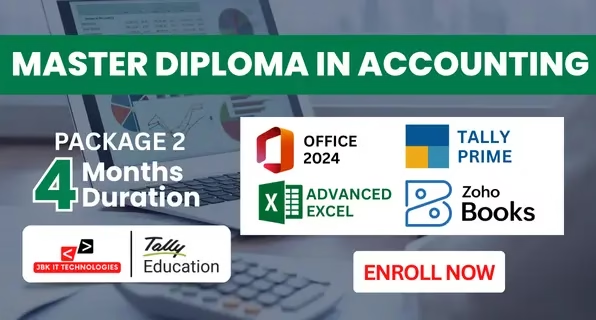
The Master Diploma in Accounting – Package 2 (4 Months) is a practical training program that covers office tools, advanced spreadsheet work, computerized accounting, and cloud-based accounting using Zoho Books.
Student Rating
Students
Placement Assistance
Certified
The Master Diploma in Accounting – Package 2 (4 Months) is a practical training program that covers office tools, advanced spreadsheet work, computerized accounting, and cloud-based accounting using Zoho Books. This course is suitable for learners who want to gain working knowledge of accounting software used in offices and small to medium-scale business environments. The program begins with training in MS Office 2024, which includes document creation, data handling, and presentation tools required for routine office operations. Advanced Excel is used for calculations, data analysis, basic financial reporting, and MIS preparation. The Tally Prime module covers core accounting processes such as company creation, voucher entries, GST basics, inventory management, banking transactions, and preparation of Profit & Loss Account and Balance Sheet. This module provides working knowledge of computerized accounting followed in Indian businesses. The Zoho Books module introduces cloud-based accounting practices including online invoicing, expense tracking, customer and vendor management, GST compliance, bank reconciliation, and real-time financial reporting.
The course is based on software practice and accounting procedures used in small and medium-scale businesses. After completion, learners gain working knowledge of office tools, spreadsheet-based reporting, computerized accounting, and cloud accounting operations.
Experience industry-focused training designed to prepare you for certifications, interviews, and successful careers through practical learning and expert mentorship.
Gain trusted certifications that add credibility to your professional profile.
Learn directly from professionals with real-world project experience.
Build practical experience through assignments based on actual business scenarios.
Get support with resumes, interview preparation, and career opportunities.
Practice with industry-style interviews to improve confidence and communication.






























No, beginners from any background can join.
Yes, it is designed for direct job placement.
Yes, full placement assistance is provided.
Yes, you will receive course completion certificates.