Ameerpet Hyderabad
Call Now : 9390612347
Dilsukhnagar Hyderabad
Call Now : 8096061003
Mehdipatnam Hyderabad
Call Now : 9000709021
Call Now : 9390612347
Call Now : 8096061003
Call Now : 9000709021
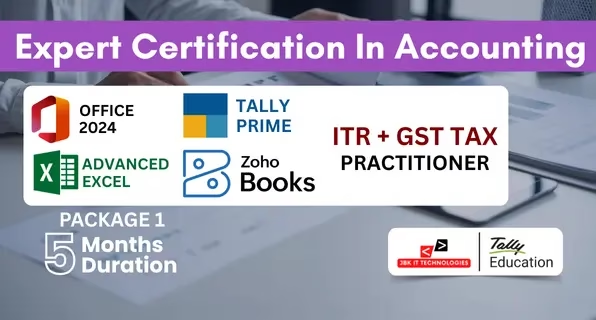






























The Expert Certification in Accounting – Package 1 (5 Months) is a structured professional accounting program designed to provide complete practical training in office tools, computerized accounting, cloud accounting, taxation, and financial reporting. The course is aligned with current industry requirements and focuses on developing job-oriented accounting skills. This program includes training on MS Office 2024, Advanced Excel, Tally Prime with GST, Zoho Books, and ITR & GST Tax Practice. The curriculum is designed to take learners from basic office operations to practical business accounting and statutory compliance. Students receive hands-on training using real business scenarios. The course includes practical work on transaction entry, GST billing, bank reconciliation, balance sheet finalization, MIS report preparation, online GST returns, and income tax filing procedures. Training is based on real accounting workflows followed by companies and CA firms. The program is suitable for both commerce and non-commerce graduates. Learners with no prior accounting background can start comfortably as the course begins with fundamentals and gradually moves to professional-level accounting and taxation concepts.
Introduction to Excel interface & navigation
Workbook & worksheet management
Basic formulas and cell referencing
Sorting & Filtering data
Logical Functions: IF, AND, OR, IFERROR, IFS
Lookup Functions: VLOOKUP, HLOOKUP, INDEX, MATCH, XLOOKUP
Text Functions: LEFT, RIGHT, MID, LEN, TRIM, CONCATENATE, TEXTJOIN
Date & Time Functions: TODAY, NOW, DATEDIF, NETWORKDAYS
Math & Statistical Functions: SUMIFS, COUNTIFS, AVERAGEIFS, ROUND, RANK, SUBTOTAL
Creating dropdown lists
Applying custom validation rules
Highlighting duplicate values
Using formulas in conditional formatting
Sorting & advanced filtering
Using Tables and Structured References
Working with slicers
Using Remove Duplicates & Text to Columns
Creating & customizing Pivot Tables
Grouping, filtering & summarizing data
Creating interactive Pivot Charts
Using slicers and timelines
Designing dynamic dashboards
Using charts (bar, line, combo, pie, etc.)
Using sparklines, gauges & KPI indicators
Creating dashboard layout with form controls
Scenario Manager
Goal Seek
Data Tables
Solver Tool for optimization
Overview of Zoho ecosystem
Importance of cloud-based accounting
Dashboard and navigation
User roles & permissions
Creating a new organization
Configuring basic company settings
Currency, tax, time zone settings
Adding users and managing access
Understanding account types
Creating, editing, and managing ledgers
Opening balances setup
Adding customers and vendors
Managing contact details
Customer & vendor statements
Creating quotations & sales orders
Converting quotes to invoices
Recurring invoices setup
Payment collection & tracking
Credit notes
Creating purchase orders & bills
Recording expenses
Vendor payments
Managing recurring expenses
Connecting bank accounts
Fetching bank feeds
Bank reconciliation
Managing deposits, transfers, and withdrawals
Creating items & item groups
Stock adjustments
Inventory tracking
Low-stock alerts

ISO Certified institute offering quality training and industry-recognized certification.

100% placement support with interview preparation and resume building.

Interview practice sessions to boost confidence and job readiness.

Industry experts with real-time project experience and teaching excellence.

Hands-on training with practical, business-oriented Excel assignments.

Interactive sessions for real-time query resolution and concept clarity.
No, beginners from any background can join.
Yes, it is designed for direct job placement.
Yes, full placement assistance is provided.
Yes, you will receive course completion certificates.